


Information about assessments (graded exams)
Graded quizzes in your course count towards your certificate.
Please open the course index to check that the system shows that your Assessment (graded) (the previous step) is complete. To do that, click on the button to open the course index here:
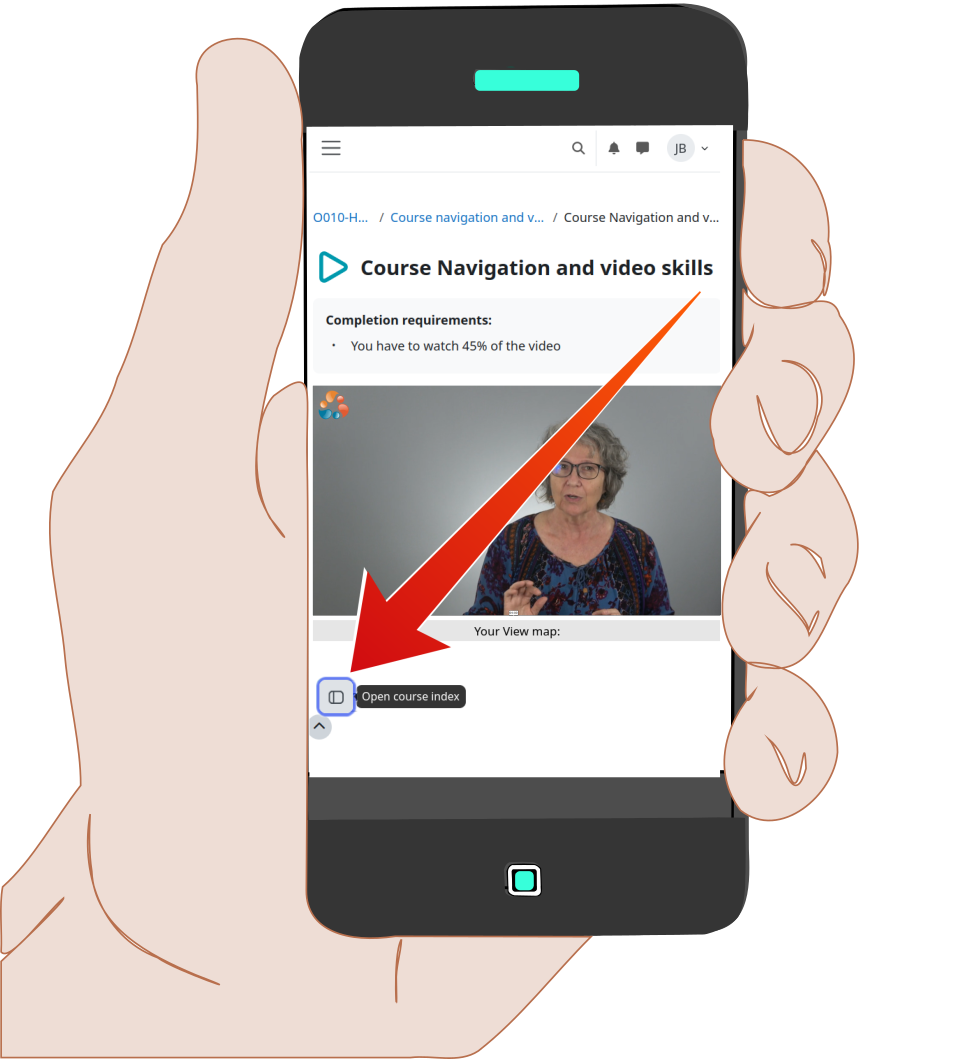
Once you've done that, you'll see the course outline as shown below.
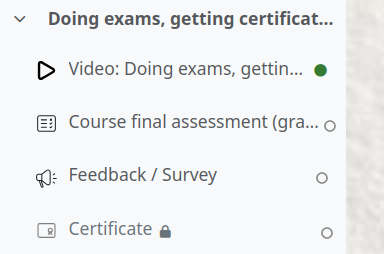
If your graded assessment (the previous step) does not have a green dot next to it (as shown on the image above), you have not yet properly completed the graded assessment.
Many people encounter this situation. To rectify this, go back to the Assessment (graded). Make sure you have done all these steps:
- On that screen you should see a blue button called either
![[Attempt quiz]](https://cdn.dasko.org/Graphics/0010 Using Didasko/Quiz-attempt.png) or
or ![[Continue your attempt]](https://cdn.dasko.org/Graphics/0010 Using Didasko/Quiz-attempt-continue.png)
- Click on the blue button labelled
![[Finish attempt]](https://cdn.dasko.org/Graphics/0010 Using Didasko/ExamSubmit_FinishAttempt.png) at the bottom of the quiz questions.
at the bottom of the quiz questions. - A summary of the quiz will appear on the screen. finish the quiz by clicking on the blue
![[Submit all and finish]](https://cdn.dasko.org/Graphics/0010 Using Didasko/ExamSubmit_AllFinish.png) button.
button. - A box will pop up, click on the blue button in pop-up box.
- Finally, scroll to the bottom and click on the link marked
![[Finish review]](https://cdn.dasko.org/Graphics/0010 Using Didasko/ExamSubmit_FinishReview.png) .
.
Now click on the course index again. Assessment (graded) should now have a green button.
Video about exams / graded assessments
Once you've finished with this page:
Please click your browser's "Back" key to go back to your course. You will find it at the top left of your screen. It looks like one of these images:


